Senior Product Designer · Design System Gatekeeper

Banco de Occidente

One of Colombia's largest banks: its portal redesigned, and Velocity, the design system 12+ squads shared.

The product
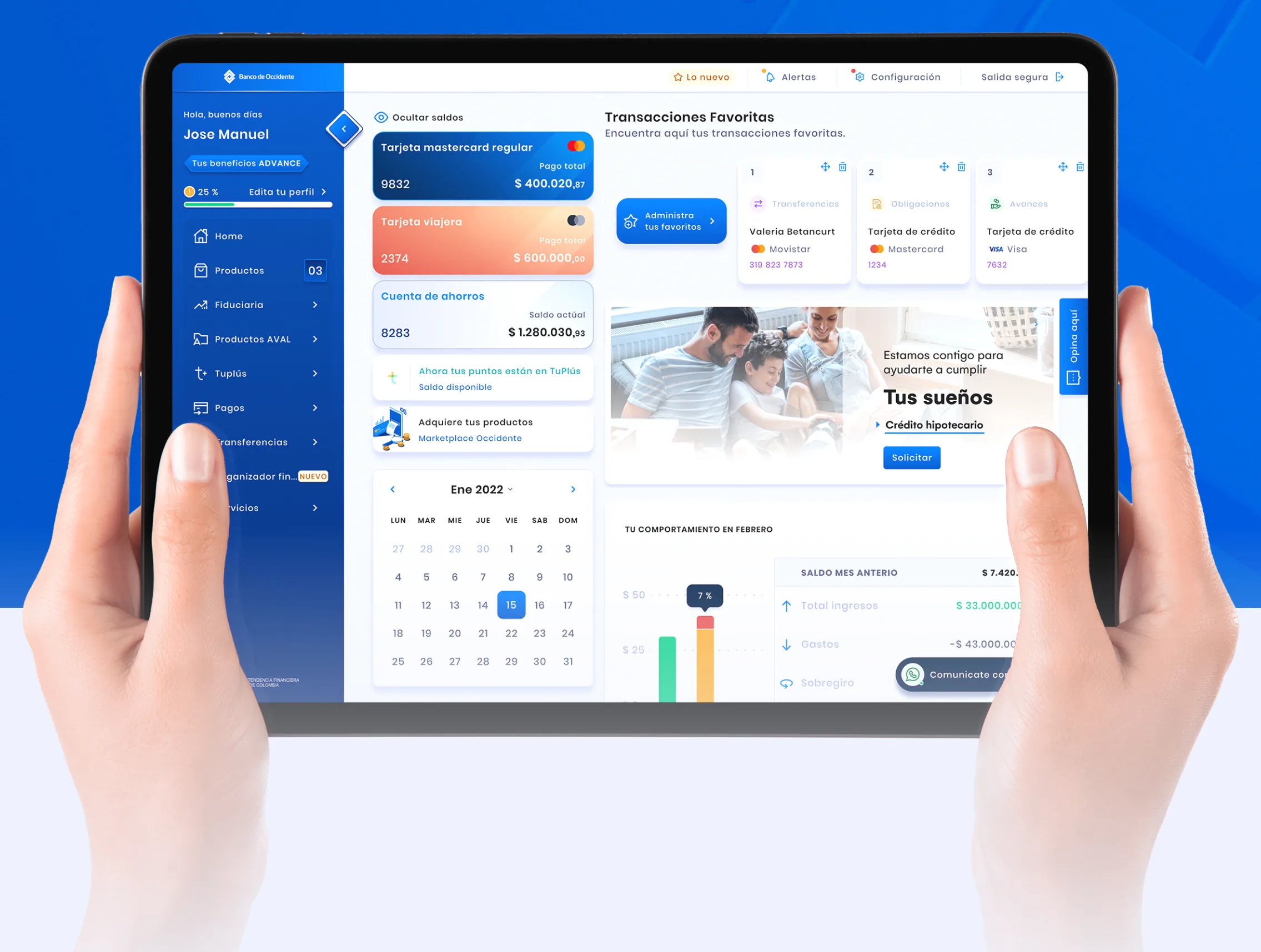
The Banco de Occidente transactional portal on a tablet: a left sidebar with the customer's name and benefit tier, cards for a Mastercard and a savings account with their balances, a favorite-transactions row, a month calendar and a spending chart.
01The portal home: products, favorite transactions, the month at a glance.
/ Role
Senior Product Designer · Design System Gatekeeper
/ Duration
5+ years
/ Team
The bank's and Aval Digital Labs' teams
/ Year
Nov 2018 — Jan 2024

The impact

12+
Product squads aligned
one system
15
Illustrated icons
drawn for the system
20+
Documented system areas
foundations → organisms
3
Devices, one portal
desktop, tablet, mobile

A dense portal rebuilt as one light product, on a design system that made each new screen cheaper than the last.

Context

The portal was dense and hard to navigate, and every squad solved the same problems differently. I redesigned it and built Velocity to fix both.

What I did

  1. 01

    Redesigned the transactional portal — login, accounts, cards, transfers, payments and product blocking, identical on desktop, tablet and mobile.

  2. 02

    Built Velocity, the bank's design system — foundations to organisms, on atomic design so the front end mirrors it.

  3. 03

    Design System Gatekeeper — approved additions, deprecations and patterns across the bank's squads, and ran the workshops and crits.

In their words

Extremely professional and fast service. Doug is a master of detail and very creative. We've done 8 projects with him and every single one delivered above expectations. He doesn't just design — he architects how products should feel.

Francesca SteriDesign Director · Aval Digital LabsBanco de Occidente · Velocity Design System

In detail

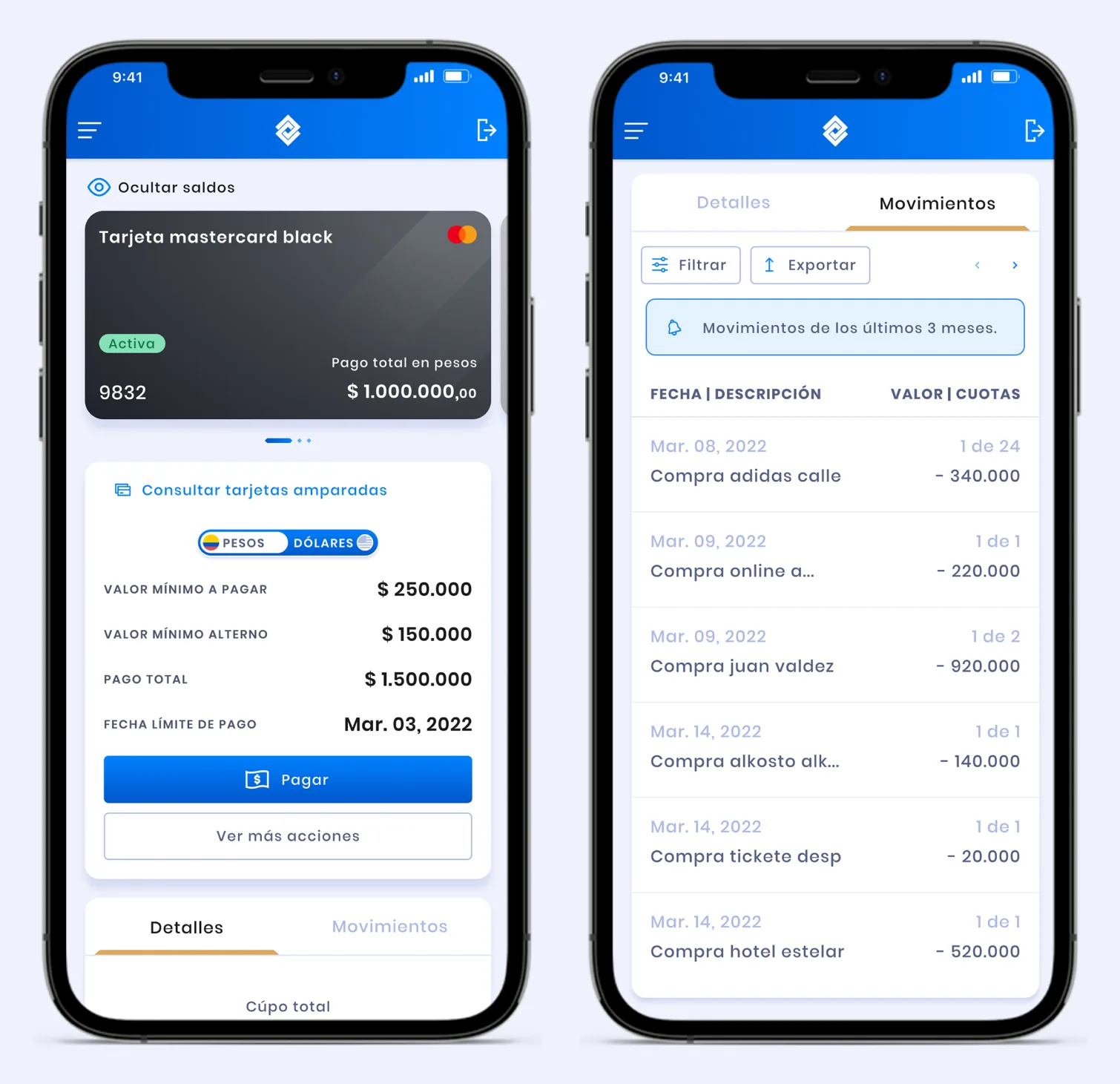
  • Two iPhone screens side by side: a Mastercard Black detail with minimum payment, total payment and due date above a Pay button, and the movements tab listing card purchases with dates, installment counts and amounts.
    02On a phone: every desktop capability, in the same order.
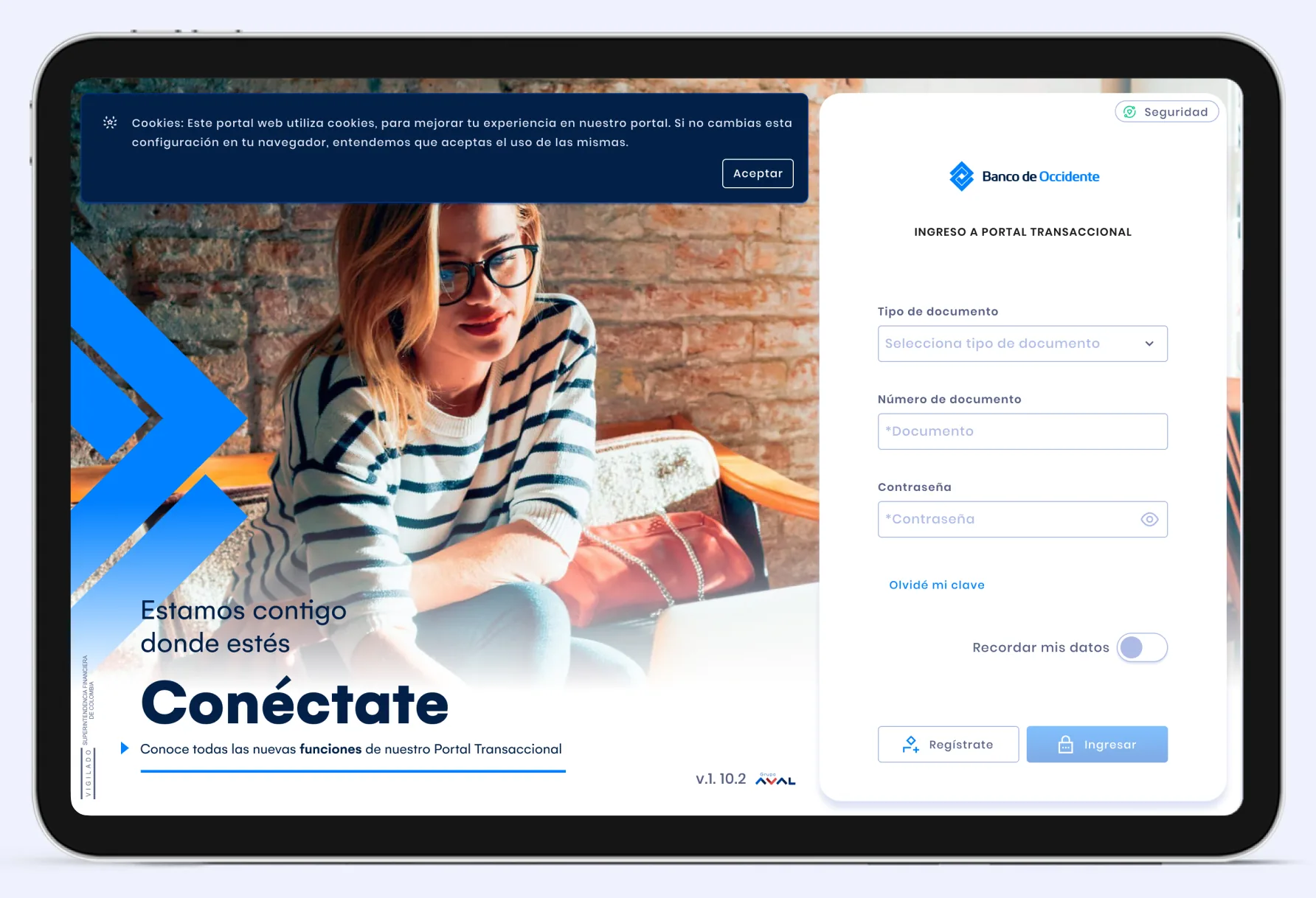
  • The portal's login screen on a tablet: a cookie notice across the top, a promotional panel on the left, and a sign-in card asking for document type, document number and password, with links to recover a password and to register.
    04Login: document type, document number and password.
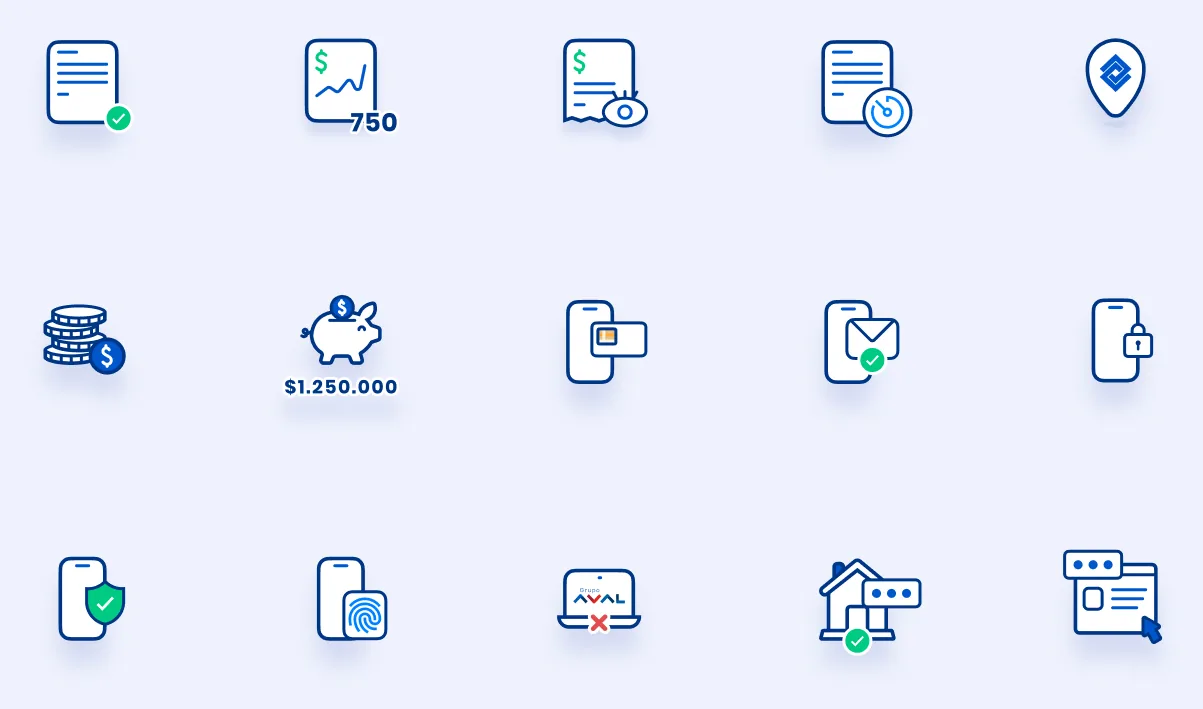
  • Fifteen illustrated icons in blue and green line art: a statement, a credit score, a certificate, a scheduled document, a location pin, stacked coins, a piggy bank, a phone payment, a phone message, a phone with a plus, a protected phone, a phone with a fingerprint, a failed transaction, a house, and a browser window.
    07Fifteen icons drawn for the system, not licensed.
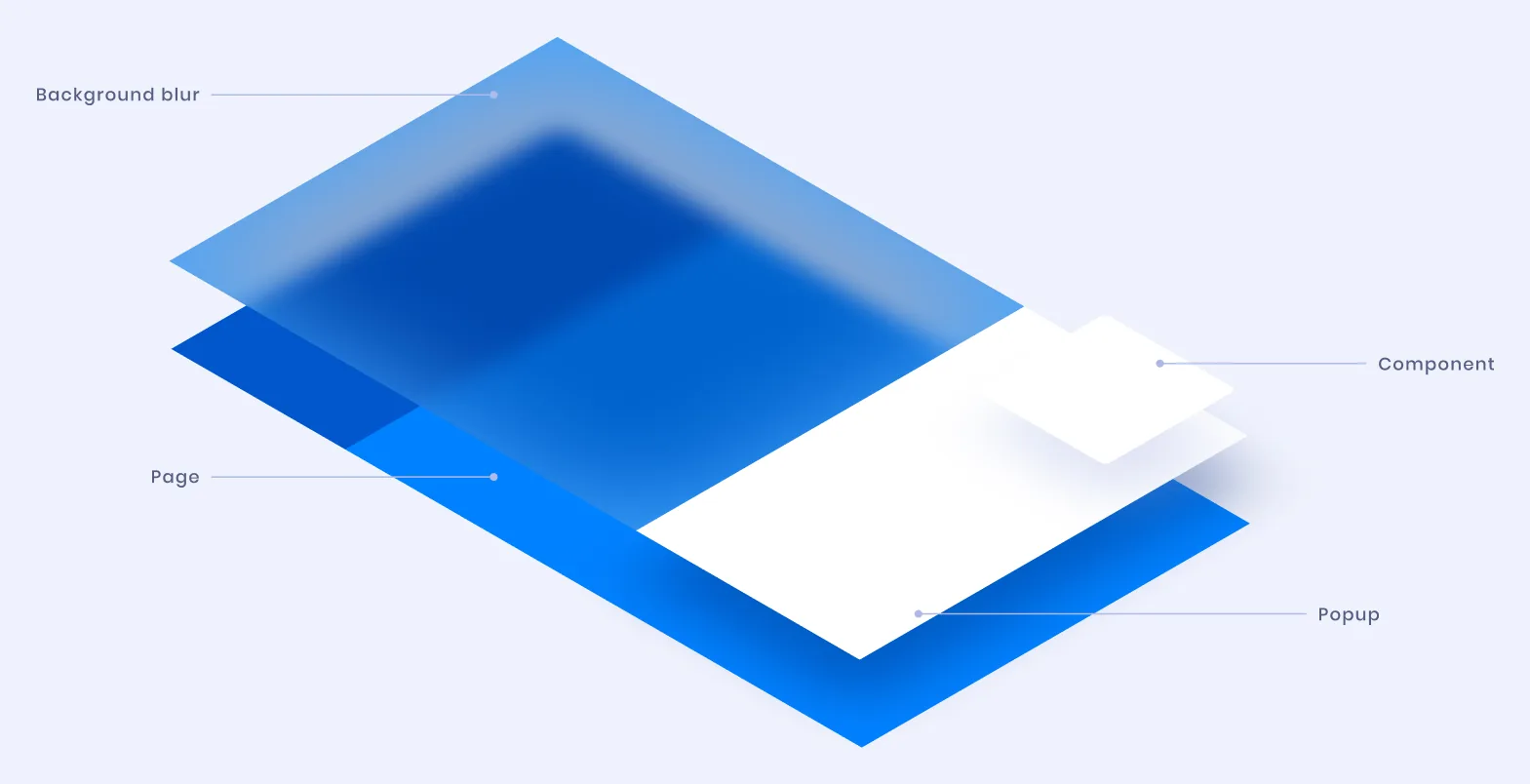
  • The popup system drawn as four stacked planes in perspective, labeled from the back: the page, a blurred background, the component, and the popup itself.
    08Depth instead of nesting: two layers, every task.
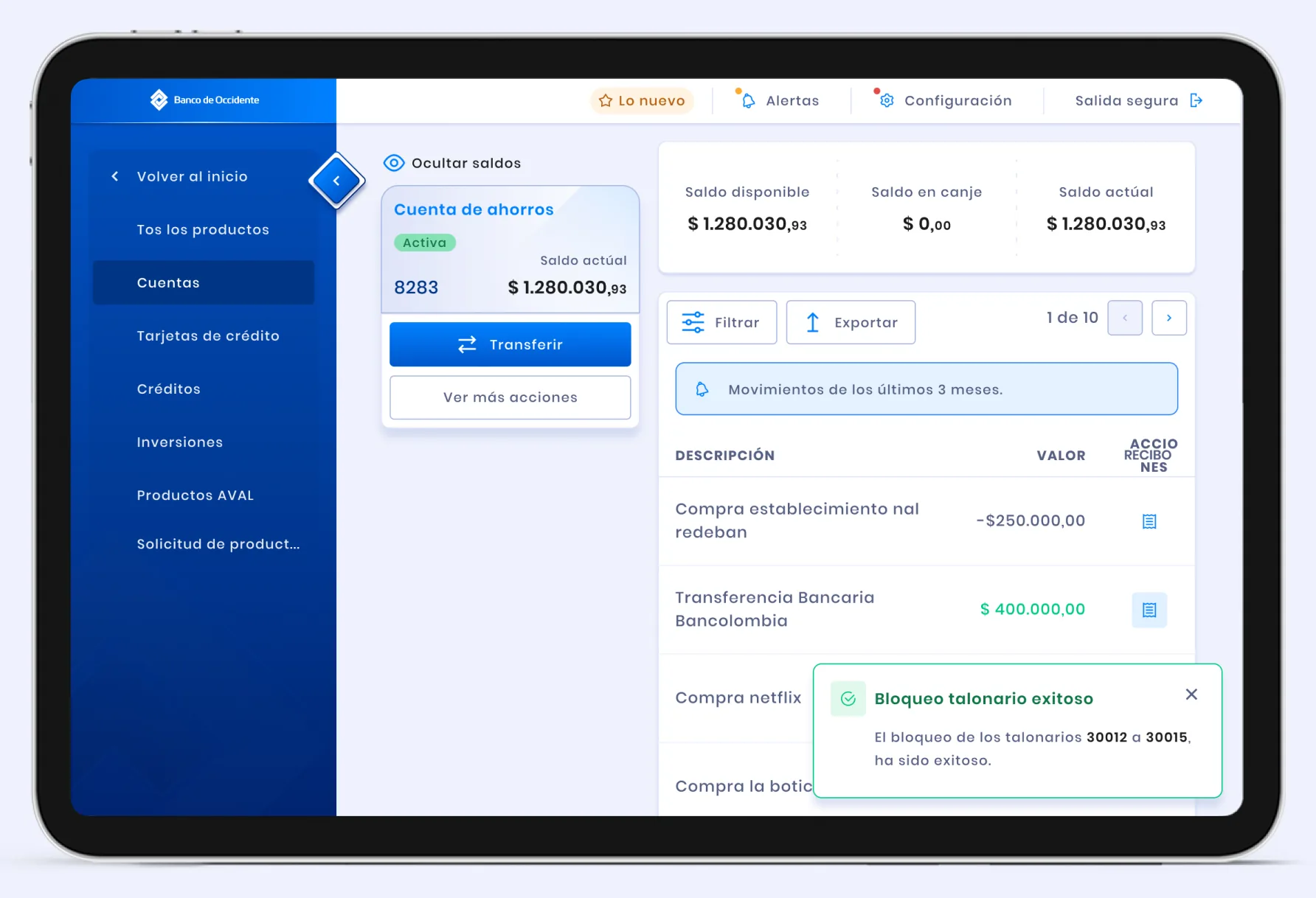
  • The accounts section of the portal on a tablet: a savings account card showing available, redeemable and current balances, a filterable movements table listing purchases and transfers with amounts, and a success toast confirming a checkbook has been blocked.
    03Balances, movements, and proof the block worked.
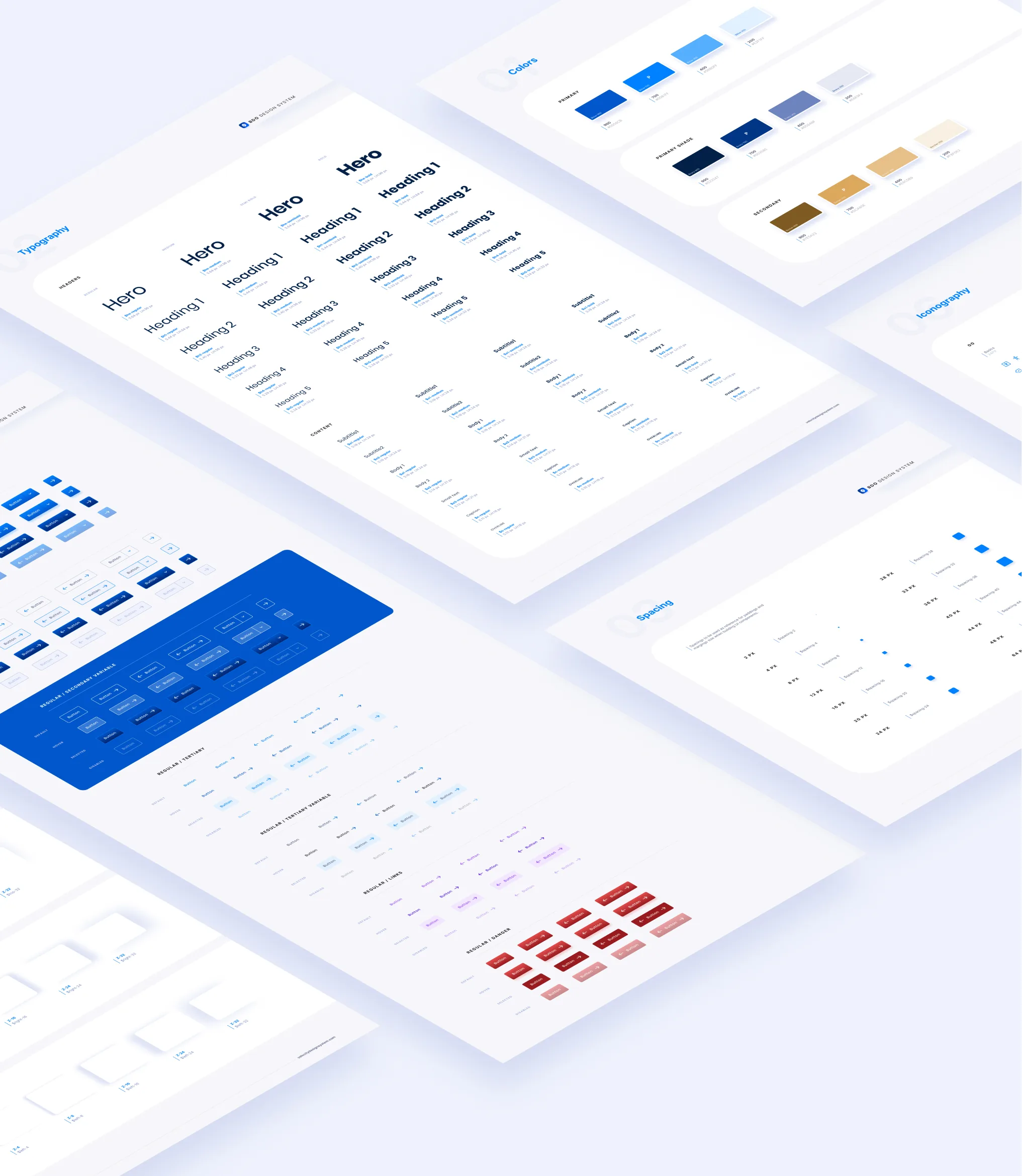
  • Design system foundation boards laid out in perspective: a color scale from light to dark blue with neutral and gold secondaries, a type scale from hero down to caption, a spacing scale, and sheets of button and form-field states.
    05Foundations: color, type, spacing, every state of every control.
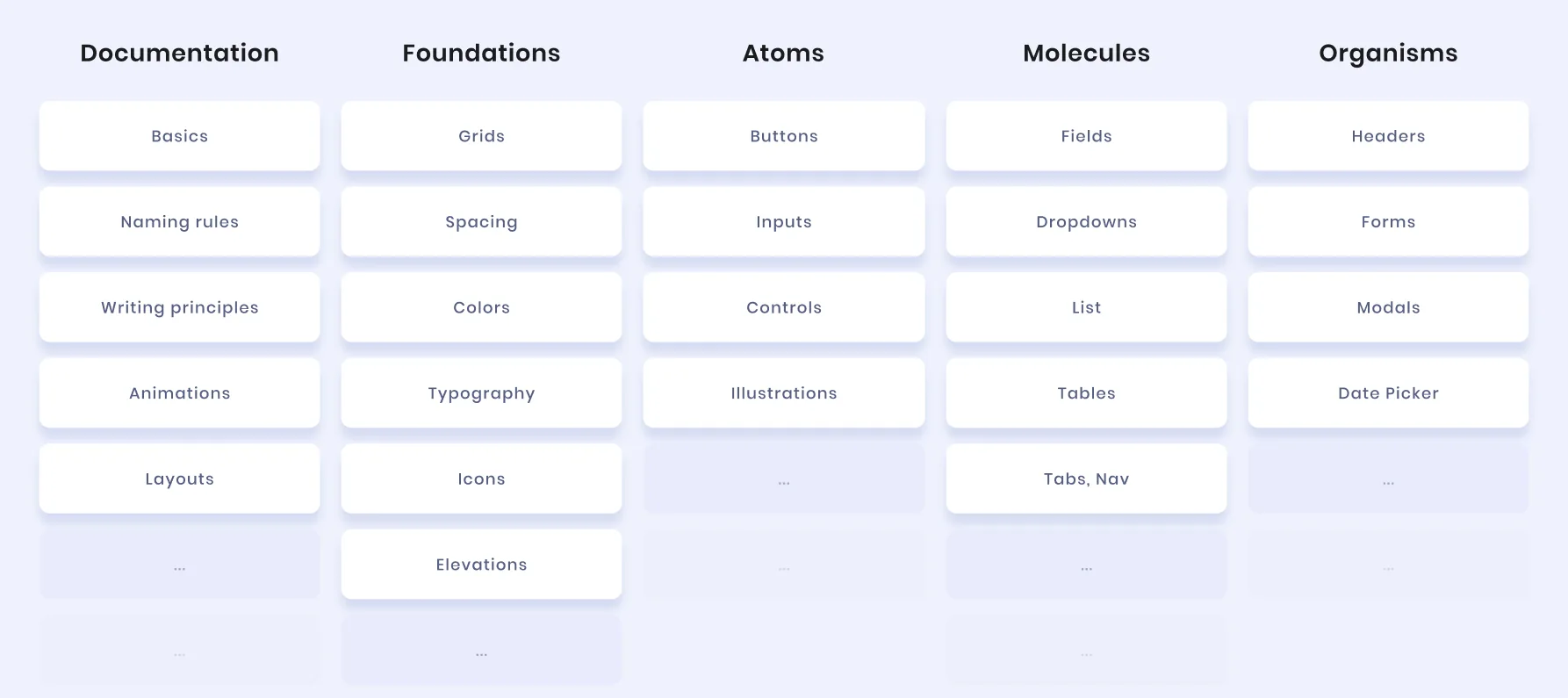
  • The Velocity design system index, five columns wide: Documentation, Foundations, Atoms, Molecules and Organisms, listing basics, naming rules, writing principles, grids, spacing, colors, typography, buttons, inputs, controls, icons, fields, dropdowns, lists, tables, headers, forms, modals, date picker and tab navigation.
    06Velocity, indexed the way the front end is built.
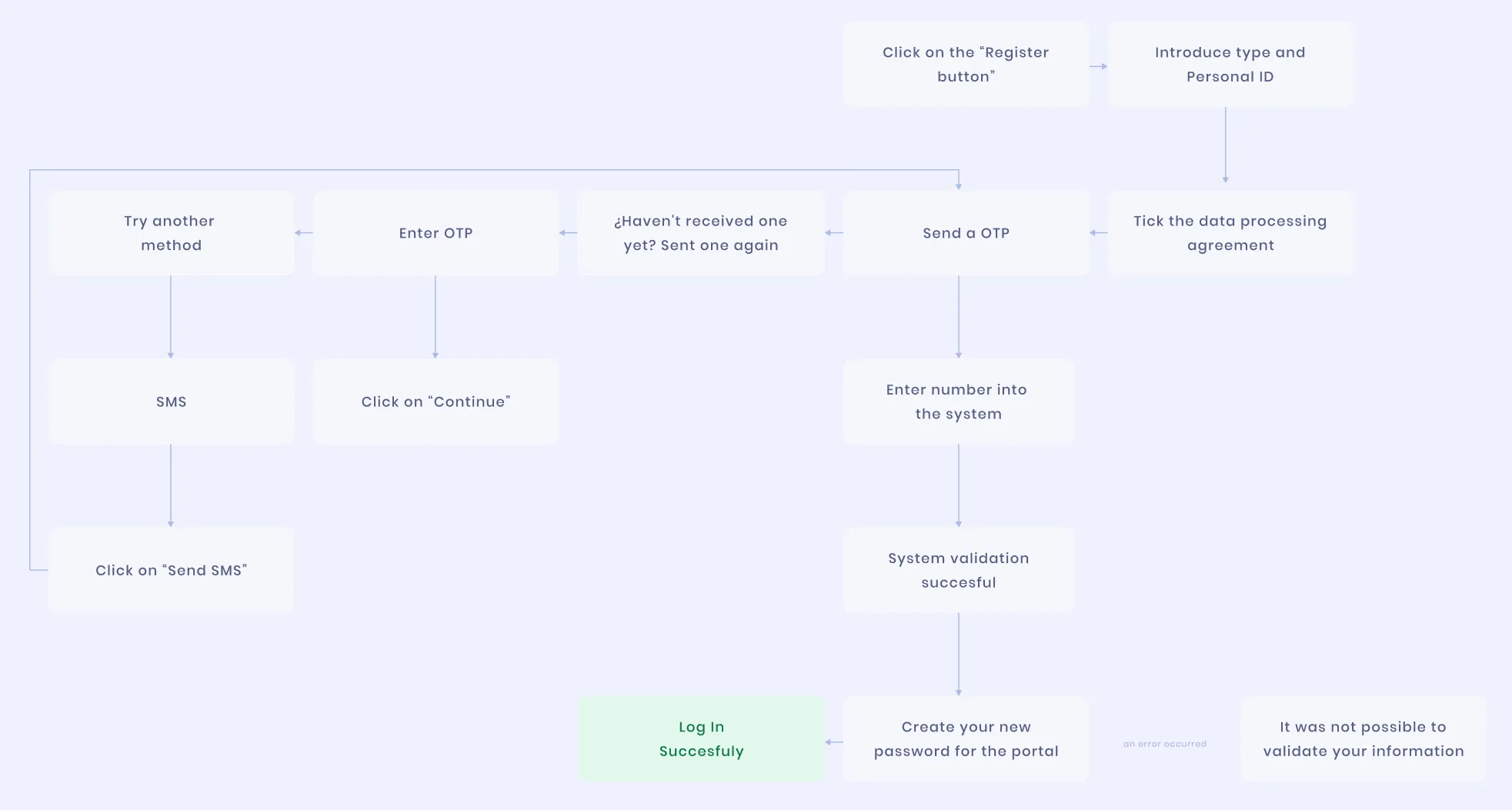
  • The registration and one-time-password flow diagrammed as boxes and arrows: register, enter document type and ID, send a one-time password, enter it or request another by SMS, accept the data-processing agreement, then either a successful login or a validation failure.
    09Registration, mapped with its exceptions before any screen.

How it happened

  1. 01

    Research, then flows

    Discovery, competitive research and user research came first. Then six flows, mapped with their exceptions before any screen: in banking, the exception is the product.

  2. 02

    Prototypes tested on people

    Every stage became an interactive prototype that users tested before any build; registration went through several rounds.

Key decisions

  • Two layers of navigation, and no more

    The old portal buried people in nested pages. A popup system replaced navigation depth, and two layers cover every banking task.

  • Identical across devices, not merely similar

    The brief asked for a similar experience; we made it identical. Every desktop capability reaches the phone with the same names, in the same order: nothing to relearn on the bus.

/ Tools & methods
  • Figma
  • Sketch
  • Atomic design
  • Design tokens
  • InVision
  • Prototyping
/ Authorship

Design system, art direction and UI design: mine. Product ownership and UX research sat with the bank's and the lab's teams. Published by Aval Digital Labs, Colombia, 2022.

© 2026 Doug Vargas