QrveyLead UI Designer

Qrvey — AutomatiQ

A survey automation builder — trigger, condition, action — for people who had never drawn a flow chart.

The product
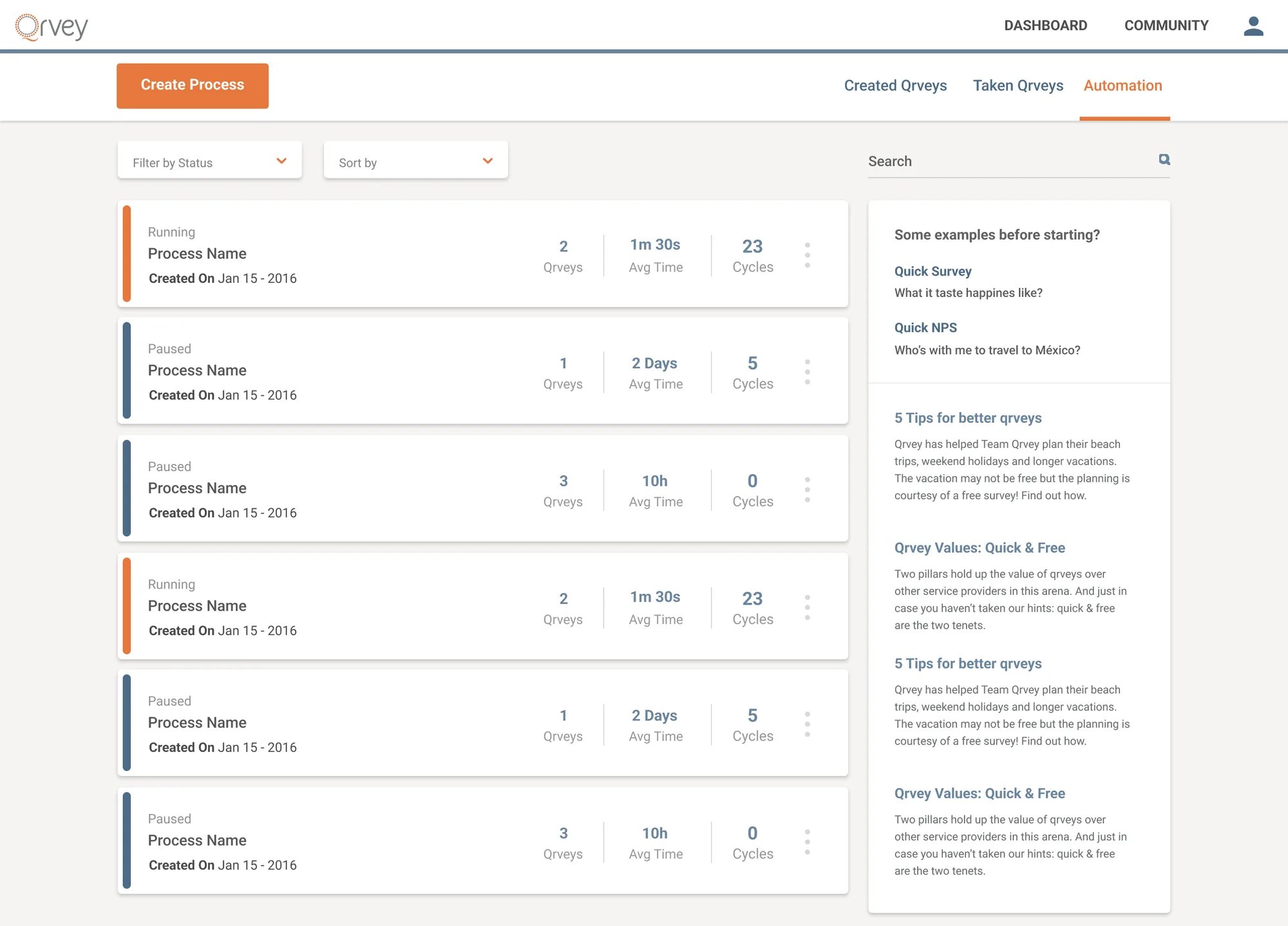
The Automation tab of Qrvey: a Create Process button over a list of process cards, each with a colored status bar reading Running or Paused, its name and creation date, and three figures — surveys covered, average time and cycles run. A sidebar offers example surveys and tips.
01Each process: running or paused, and what it has done.
/ Role
Lead UI Designer
/ Duration
11 months
/ Team
Product and engineering
/ Year
Oct 2016 — Aug 2017

The impact

A negative answer could trigger its own follow-up — a new survey a week later, results emailed to the team — with nobody watching for it.

Context

Qrvey was a survey and NPS platform; someone still had to act on the answers. As lead UI designer, I designed AutomatiQ, the builder that did.

What I did

  1. 01

    A list that reports on itself — every process shows status, surveys covered, average cycle time and cycles run.

  2. 02

    Cards, not a canvas — triggers and conditions open in place, in the product's words; no connectors to draw.

  3. 03

    The follow-up is the next survey — emails carry the results and a live survey link in the body.

In their words

Working with Doug was an absolute pleasure. He consistently delivered designs that were not only beautiful but highly functional. His ability to translate complex data into clear interfaces transformed our entire dashboard experience.

Arman EshraghiFounder & CEO · QrveyQrvey · Survey & NPS platform

In detail

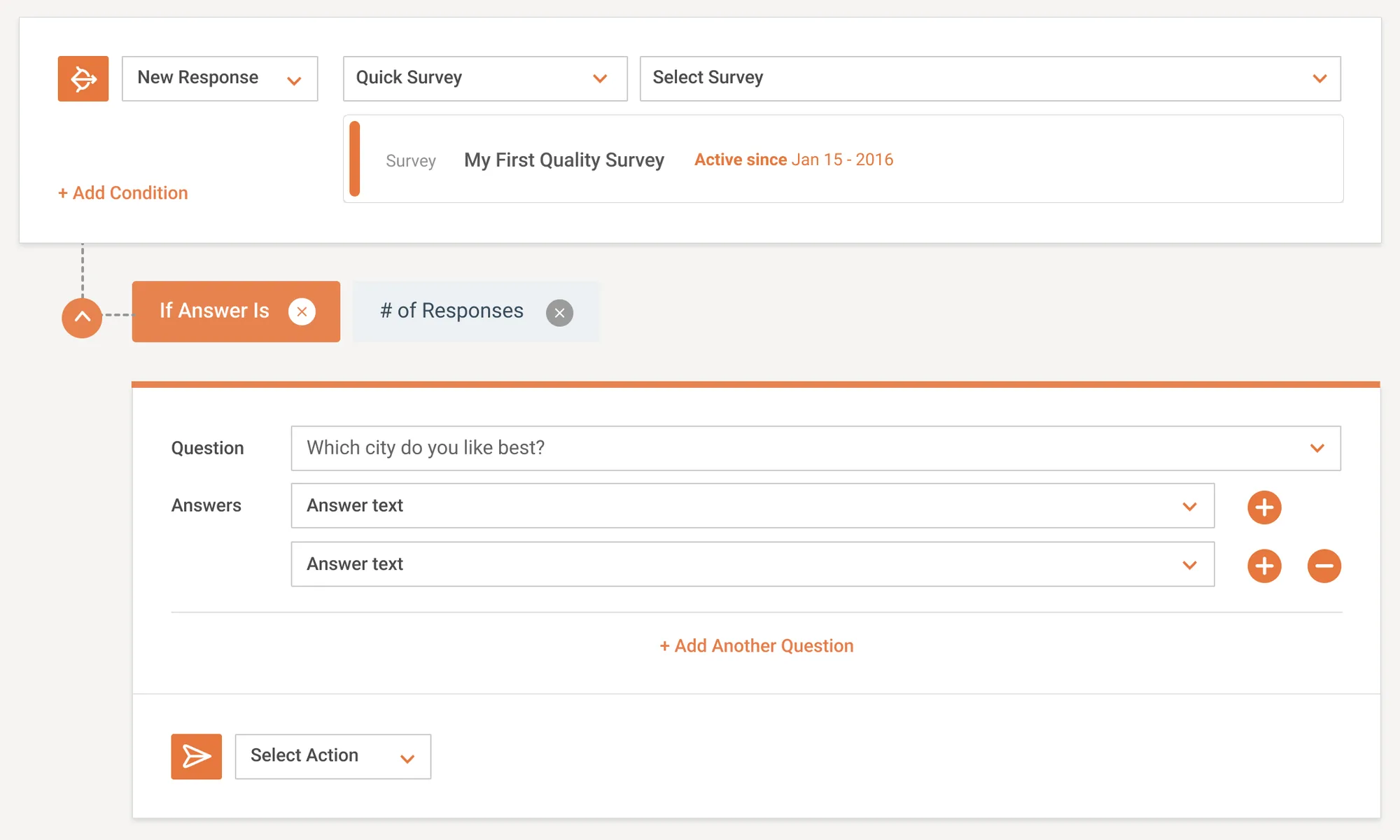
  • A condition under a New Response trigger: two pills, If Answer Is and # of Responses, above a panel holding a question and its answer rows with buttons to add or remove each one, and a Select Action row waiting underneath.
    02Conditions in the product's words: "If Answer Is", "# of Responses".
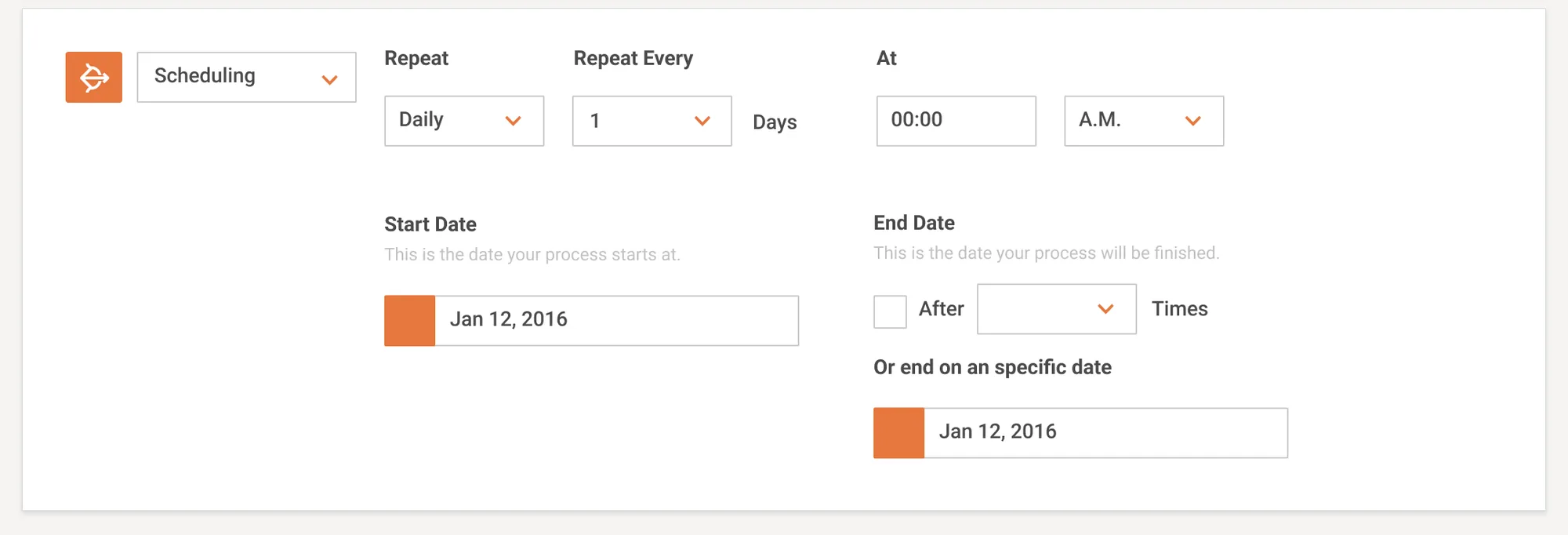
  • An expanded Scheduling trigger card: repeat frequency, an interval in days and a time of day, a start date, and an end that is either a number of runs or a specific date.
    03Scheduling, with both ways a schedule can end.
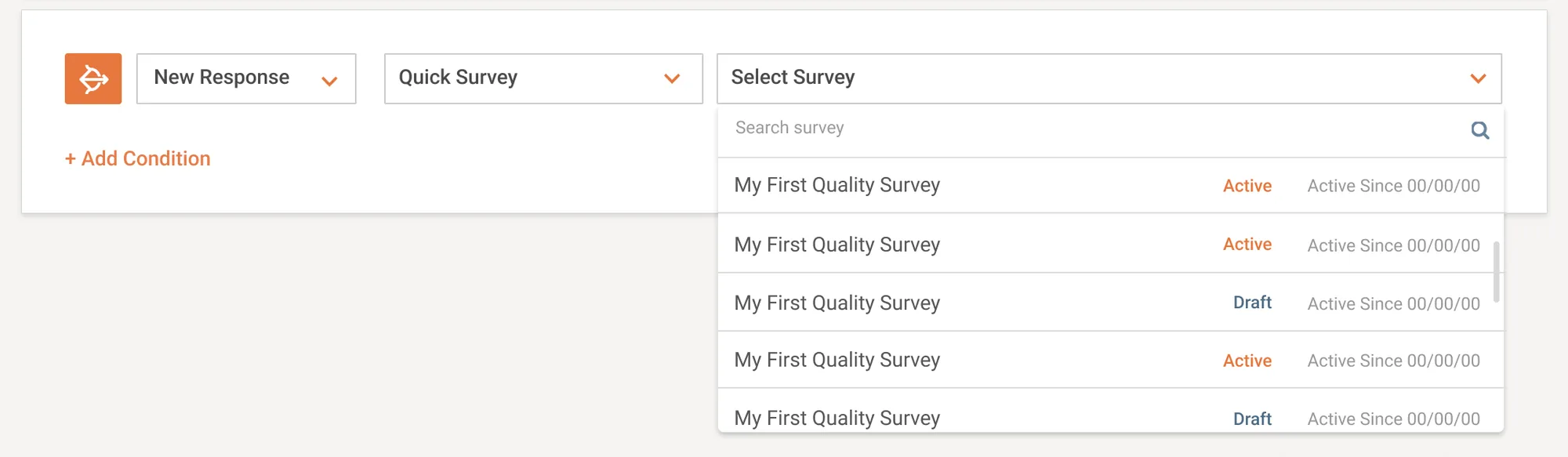
  • A New Response trigger with its survey picker open: a searchable list of surveys, each row carrying an Active or Draft badge and the date it went active.
    04Picking the survey whose responses start the process.
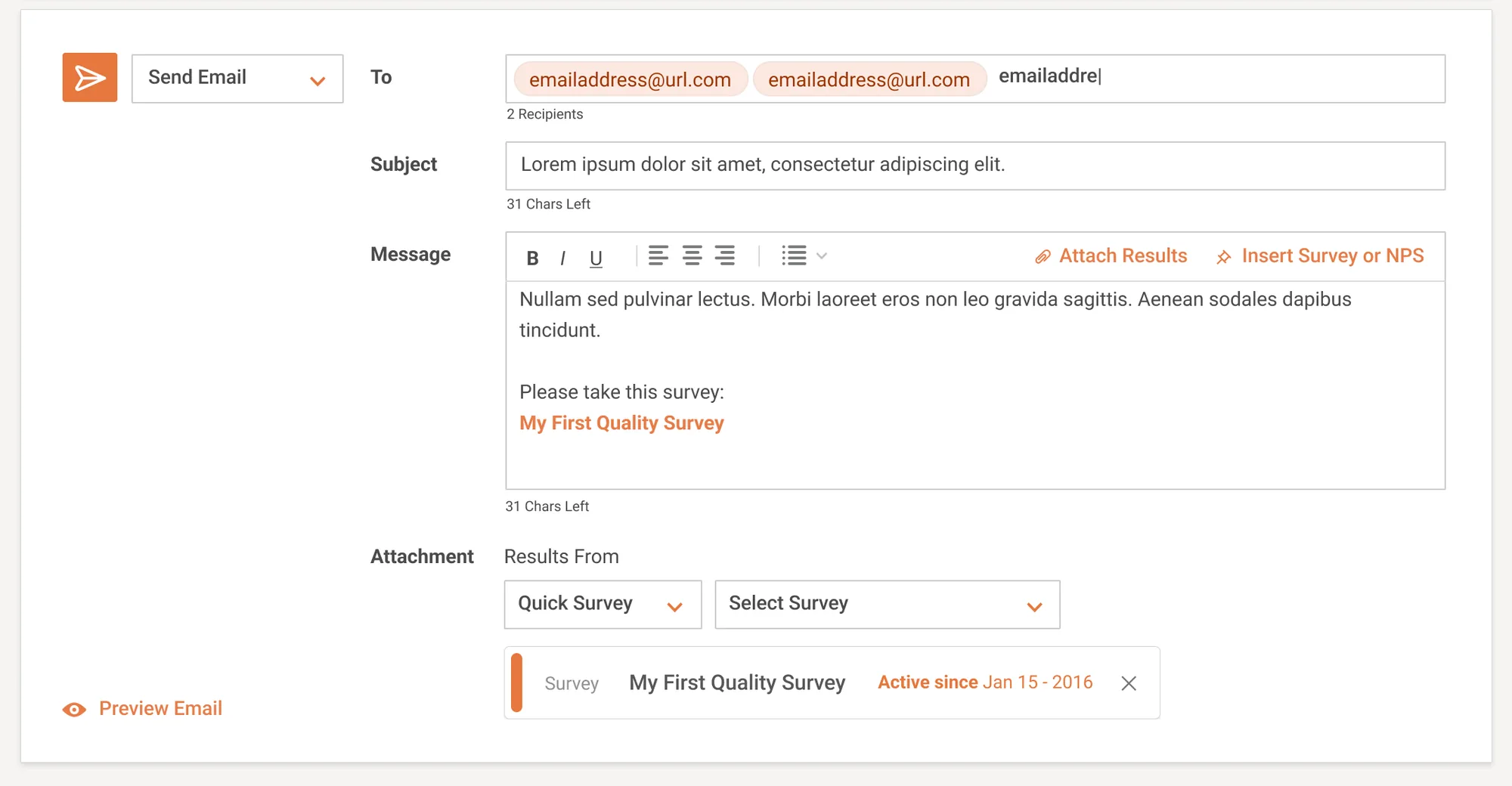
  • The Send Email action open: recipient chips, a subject with a remaining-character count, a rich-text message with buttons to attach results or insert a survey, a survey link inserted into the body, and an attachment block holding the chosen survey.
    05Email: results attached, a survey in the body.
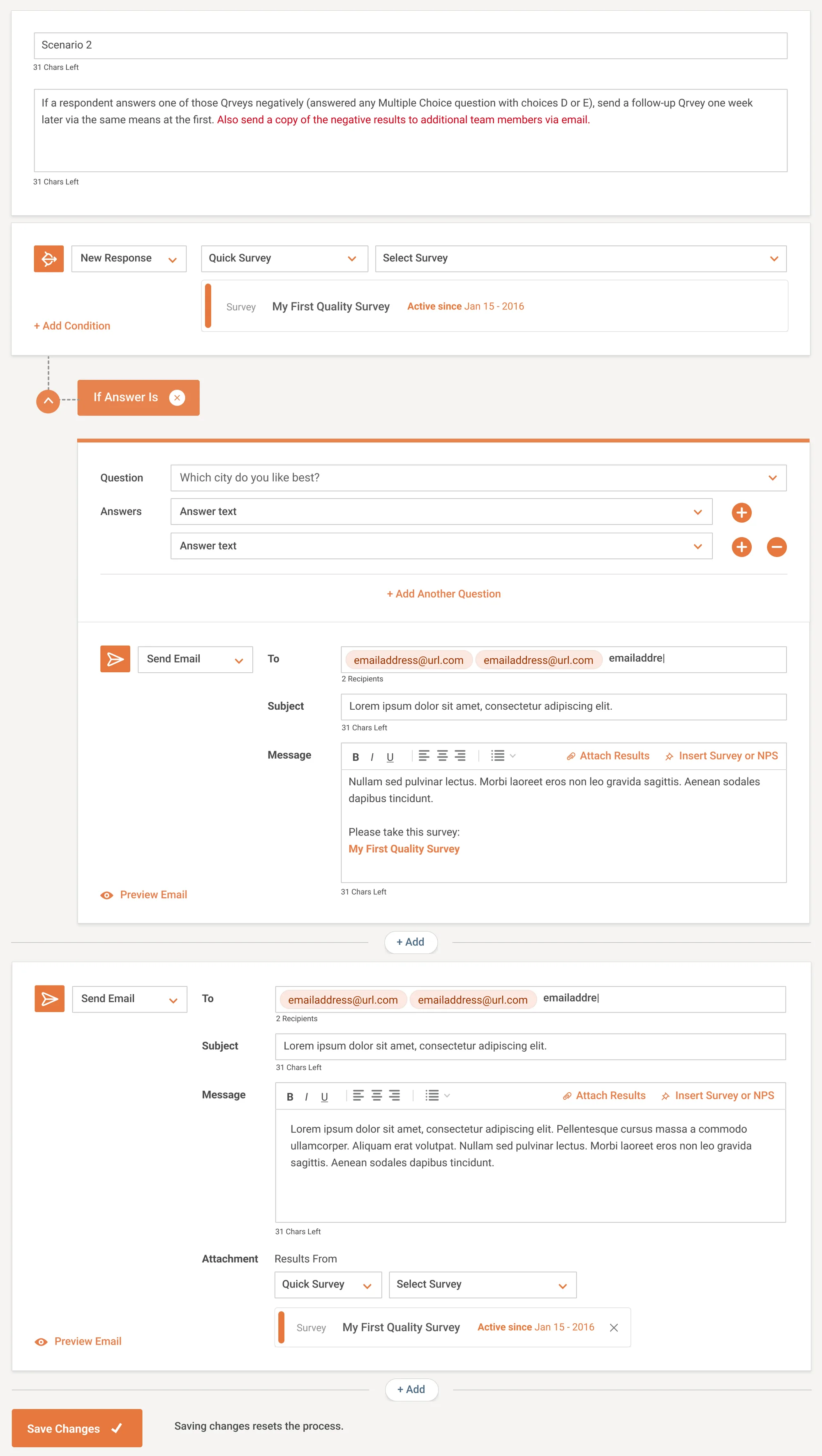
  • A whole process assembled from one scenario written in plain language at the top: a new-response trigger, a condition on the answer given, and two email actions — one to the respondent with a follow-up survey, one to the team with the results — above a Save Changes button warning that saving resets the process.
    06One scenario: trigger, condition, two actions.
/ Tools & methods
  • Sketch
  • Design Systems
  • Interaction Design
  • Data Viz

© 2026 Doug Vargas